Install CLI-Anything Hub on Ubuntu: 103 Agent CLIs, One Command

This guide is a companion to the video Install CLI-Anything Hub on Ubuntu: 103 Agent CLIs, One Command, which is the starting point for the install below. Watch the video first for the walkthrough, then use this page for the exact commands, the expected outputs, and the honest limits.
What the hub is
In the video, the presenter introduces the CLI-Anything Hub as one install that gives AI agents over 100 ready-made command lines for real desktop applications. Added research from the project README: the hub is a package manager installed with pip install cli-anything-hub, and it browses, installs, updates, and launches community-built CLI harnesses from one cli-hub command. Added research from PyPI: the current release is version 0.4.1, it needs Python 3.10 or newer, and its own summary describes 40-plus harnesses for software like GIMP, Blender, Inkscape, LibreOffice, Audacity, and OBS Studio — so treat the video's 103 figure as the registry count at recording time, since registry packs change over time.
Before you start
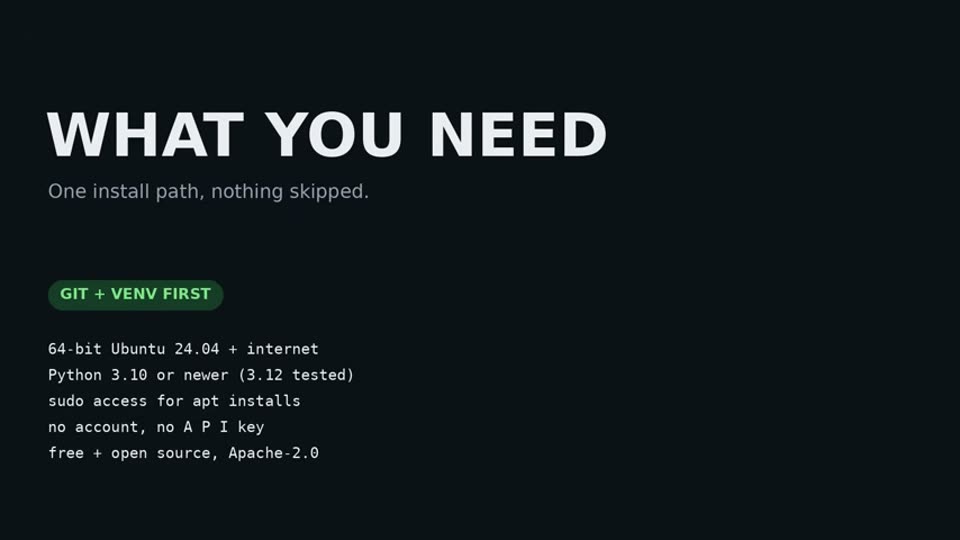
In the video, the prerequisites are 64-bit Ubuntu 24.04 with internet access, Python 3.10 or newer, and sudo access for system packages, with no account and no API key needed. Everything shown is free and open source.
Install the hub in an isolated venv
In the video, the presenter shows that plain system-wide pip is blocked on Ubuntu with the externally-managed-environment error, so the fix is an isolated virtual environment that keeps the hub's packages separate from system Python. The illustrated frame then shows exposing the venv's binaries on PATH, persisting that export in ~/.bashrc so new shells see it, and confirming the install with a version check that answers cli-hub 0.4.1.
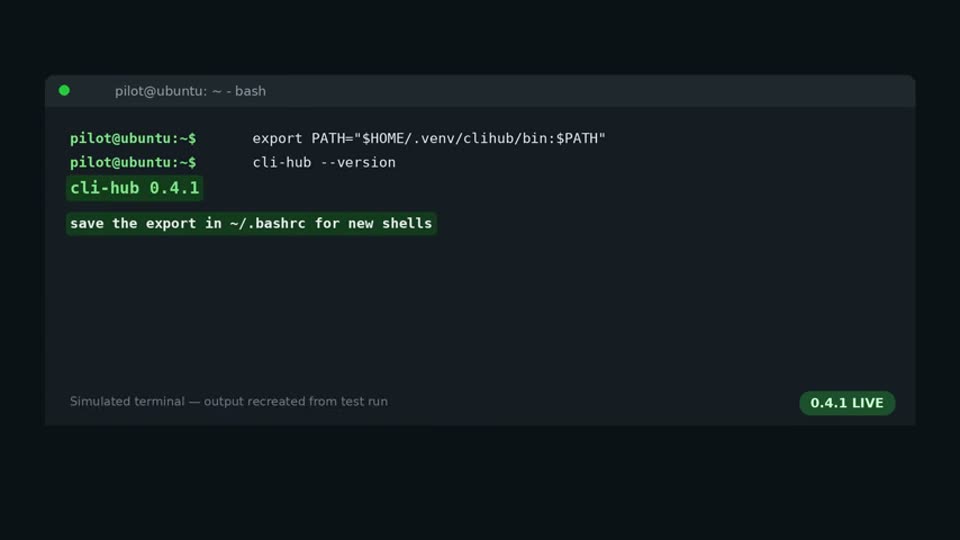
Honesty note: the venv layout and the PATH export come from the video and its illustrated frames, not from the official install docs, which document only pip install cli-anything-hub. Consider the venv creation, the export line, and the ~/.bashrc persistence untested here — they were not executed bench-side for this draft — and adapt the venv path to the one you actually create.
Browse the registry before you install
In the video, the presenter browses the registry and inspects a pack before installing anything. Added research from the project README: these are the documented registry commands, with exact syntax confirmed from the docs page read for this guide:
cli-hub listcli-hub search <query>cli-hub info <name>cli-hub install <name>cli-hub update <name>cli-hub uninstall <name>cli-hub launch <name> [args...]
In the video, the rule is to always run cli-hub info first, as shown — because registry packs change over time and some need their own upstream app, a server, or an API key. Added research from the README agrees: some CLIs wrap real desktop or backend software, so if a pack needs an upstream application such as GIMP, Blender, or LibreOffice, that upstream tool has to be installed too.
Feed the requirement, then install the pack
In the video, the presenter installs the audacity pack as the worked example: cli-hub info audacity reveals the pack's system requirement, that requirement is installed first with apt, its own version check proves it landed, and only then does cli-hub install audacity run. Added research from the README confirms the audacity harness exists as cli-anything-audacity and that the Audacity CLI processes audio through sox. In the video, the proof is a real tone analyzed by the installed tool, and the closing point is that every other pack follows the same pattern: info first, feed the requirement, then install.
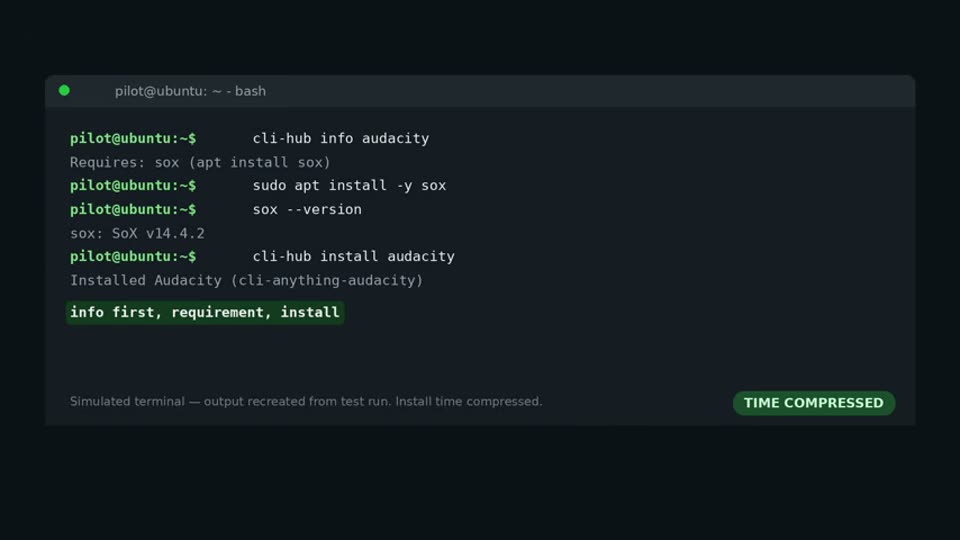
Honesty note: the apt requirement name, its version output, and the audio-probe result are shown only in the video's illustrated frames and were not executed bench-side for this draft, so treat that whole install sequence as untested here. Always read the live cli-hub info output on your own machine before installing any pack, since requirements drift as the registry changes.
Limits to know before you start
- In the video, the presenter notes that registry packs change over time and some need their own upstream app, a server, or an API key — the hub discovers and installs the CLIs but does not replace those dependencies.
- Added research from the docs hub and README: the install command
pip install cli-anything-huband thecli-hubsubcommand syntax above are docs-confirmed, but no install, pack, or audio probe was executed bench-side for this draft, so every hands-on step is marked untested. - In the video, the demo target is Ubuntu 24.04 with Python 3.10 or newer — other distributions and older Pythons are outside what the video shows.
- There is no Prag research folder for this video, so this guide was built from the video description plus the official repo, PyPI page, and docs site read for this draft.